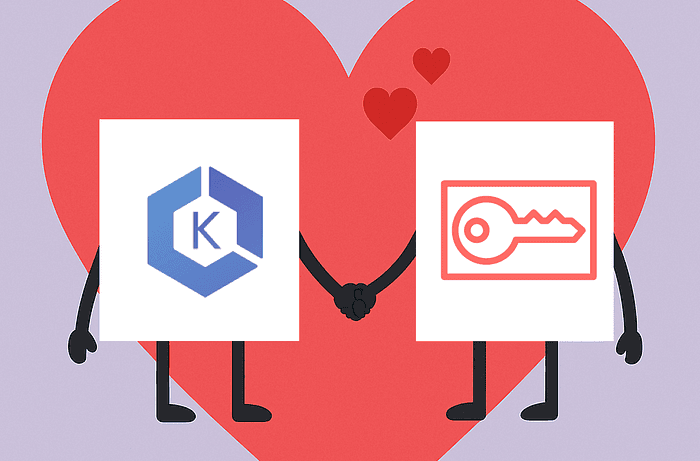
I recently tried to connect to an AWS EKS cluster from Python code in an environment that did not have the aws CLI installed, leaving me without a way to retrieve tokens using aws eks get-token. Looking for a Boto call or AWS API call for EKS tokens yielded no results. I decided to look at how these tokens are generated, and as it turns out, the bearer tokens authenticating you to EKS are pre-signed calls to the AWS STS API — specifically for the GetCallerIdentity endpoint.
Pre-signing calls to GetCallerIdentity lets you use IAM credentials to generate an identity token that works for authenticating to EKS and other contexts. Let’s dive in!
Relationship between EKS and STS
How we usually authenticate to EKS
When using EKS, we typically create a cluster and then run aws eks update-kubeconfig to update our kubeconfig file as described in the AWS documentation.
For example, if we have a cluster named confused-blues-mushroom, we can run:
aws eks update-kubeconfig --name confused-blues-mushroom
aws eks update-kubeconfig --name confused-blues-mushroom
aws eks update-kubeconfig --name confused-blues-mushroom
This updates your ~/.kube/config file with an entry for the cluster, looking like so:
apiVersion: v1kind: Configpreferences: {}current-context: arn:aws:eks:eu-west-1:299641483789:cluster/confused-blues-mushroomclusters: - cluster: certificate-authority-data: <base64-encoded-certificate> server: <cluster-endpoint> name: arn:aws:eks:<region>:<account-id>:cluster/confused-blues-mushroomusers: - name: arn:aws:eks:<region>:<account-id>:cluster/confused-blues-mushroom user: exec: apiVersion: client.authentication.k8s.io/v1beta1 command: aws args: - --region - <region> - eks - get-token - --cluster-name - confused-blues-mushroom - --output - jsoncontexts: - context: cluster: arn:aws:eks:<region>:<account-id>:cluster/confused-blues-mushroom user: arn:aws:eks:<region>:<account-id>:cluster/confused-blues-mushroom name: arn:aws:eks:<region>:<account-id>apiVersion: v1kind: Configpreferences: {}current-context: arn:aws:eks:eu-west-1:299641483789:cluster/confused-blues-mushroomclusters: - cluster: certificate-authority-data: <base64-encoded-certificate> server: <cluster-endpoint> name: arn:aws:eks:<region>:<account-id>:cluster/confused-blues-mushroomusers: - name: arn:aws:eks:<region>:<account-id>:cluster/confused-blues-mushroom user: exec: apiVersion: client.authentication.k8s.io/v1beta1 command: aws args: - --region - <region> - eks - get-token - --cluster-name - confused-blues-mushroom - --output - jsoncontexts: - context: cluster: arn:aws:eks:<region>:<account-id>:cluster/confused-blues-mushroom user: arn:aws:eks:<region>:<account-id>:cluster/confused-blues-mushroom name: arn:aws:eks:<region>:<account-id>apiVersion: v1kind: Configpreferences: {}current-context: arn:aws:eks:eu-west-1:299641483789:cluster/confused-blues-mushroomclusters: - cluster: certificate-authority-data: <base64-encoded-certificate> server: <cluster-endpoint> name: arn:aws:eks:<region>:<account-id>:cluster/confused-blues-mushroomusers: - name: arn:aws:eks:<region>:<account-id>:cluster/confused-blues-mushroom user: exec: apiVersion: client.authentication.k8s.io/v1beta1 command: aws args: - --region - <region> - eks - get-token - --cluster-name - confused-blues-mushroom - --output - jsoncontexts: - context: cluster: arn:aws:eks:<region>:<account-id>:cluster/confused-blues-mushroom user: arn:aws:eks:<region>:<account-id>:cluster/confused-blues-mushroom name: arn:aws:eks:<region>:<account-id>The config file defines your cluster, a user (~credentials), and a context that ties the two together.
A closer look at the user token
The user entry tells us that we can obtain credentials for the cluster by running the following command:
aws --region <region> eks \ get-token \ --cluster-name confused-blues-mushroom \ --output json
aws --region <region> eks \ get-token \ --cluster-name confused-blues-mushroom \ --output json
aws --region <region> eks \ get-token \ --cluster-name confused-blues-mushroom \ --output json
Doing so yields something like this:
{ "kind": "ExecCredential", "apiVersion": "client.authentication.k8s.io/v1beta1", "spec": {}, "status": { "expirationTimestamp": "2025-11-25T22:38:50Z", "token": "k8s-aws-v1.aHR0cHM6Ly9zdHMuZXUtd2VzdC0xLmFtYXpvbmF3cy5jb20vP0FjdGlvbj1HZXRDYWxsZXJJZGVudGl0eSZWZXJzaW9uPTIwMTEtMDYtMTUmWC1BbXotQWxnb3JpdGhtPUFXUzQtSE1BQy1TSEEyNTYmWC1BbXotQ3JlZGVudGlhbD1BU0lBVUxSQUdHSUdVQ042UFBJUyUyRjIwMjUxMTI1JTJGZXUtd2VzdC0xJTJGc3RzJTJGYXdzNF9yZXF1ZXN0JlgtQW16LURhdGU9MjAyNTExMjVUMjIyNDUwWiZYLUFtei1FeHBpcmVzPTYwJlgtQW16LVNpZ25lZEhlYWRlcnM9aG9zdCUzQngtazhzLWF3cy1pZCZYLUFtei1TZWN1cml0eS1Ub2tlbj1JUW9KYjNKcFoybHVYMlZqRUs3JTJGJTJGJTJGJTJGJTJGJTJGJTJGJTJGJTJGJTJGd0VhQ1dWMUxYZGxjM1F0TVNKSU1FWUNJUUR3c2l2cHdJdDVTVzdnZVFvV3F4TXA4UndZM1k0UFRYSmQ3ZFFBUktOZmhBSWhBTVo3Q1lPR3YlMkZjTEhDZ29CVVFVYWhxQlcwbllmT250RmxuaThuRGQyJTJCREdLcU1EQ0hjUUFob01Nams1TmpReE5EZ3pOemc1SWd6TiUyRmFYamlENkVlV3BpemdRcWdBUEV6b3hRQmdhbWZlQ3FaSEFnM3h3MndZSmExQmlGdHVxQWgyUWdCd2VMQ0xKJTJCY1U1WjhXQzJxTnFwcFN5QTRDSWVaVXJLY2xFUWEwSVFtTFVwMHA1QUZUWmZOV2ZwYXJEZEt5dldTY2Zzd3RNR0pEanBLem1TQlh5UE9FeVlqVlpWdnZVcGJzc2p3TUp1bmRkY09sbjdac2Q5biUyQlBLaTV0JTJCZ1JZbU9hcTFqY285TUMyOVB6WnJrZ3FteERDOCUyRmZHc1k0a1FpVTklMkZndE0lMkJ6JTJCaXZ5YkhFSnV0Z2p5dkhFeG1ncFZmcFJ1d0lEdkFnRXBaTWFUTDNmTVhOczRHSmMwaHVHMWFVMjBNNGNHakg5Z1BVWmpaR2hoY0plYmxNV2dBJTJCV1l4d29XckhpTiUyQnBHNVpwJTJGQUhaV2pONHh3blY1b2Z5UUt4WUl5c0hZQzVsT1hjTWk0bFV0SSUyQnFScHRGVEVsWGpCWUwxd0dmVHFlcHZGSzJhbHVZbGgyU3h2SjhjTTYxaUF2bnZkOU5ac2slMkZsWWROSUZjZUlBVXJleDZWTHdDcXc5UmQxcFd6Znk5N1NKZUVQTzJVY1YxZk5DckZCSW5RJTJGZllmVjNCTk5EdlhlYnoxVURvbHZwcDZvVE84MVJySVowUDZlRWpLNkcxVGVrNUgxVzdUSVh2TTFQeVFmYlF3eXNXWXlRWTZvd0hjVldMTVlmY1AlMkIlMkZEQ0VEQ042RXVCZTRBNnpiZWNlMzRmbEdQNWlVTG1HJTJCVDQ1TkZlOFNmeU9KV01JR2xoRnpyMXhoVHVPRUZYY2hnQ0NJaE9GNTZiSzJvWENGZnZxQSUyRnJSNzlMNHdxaGlGeXZ4WEx5YlBia2tMV25wa1ElMkJLdEpIb1ZNJTJGRlFwdEh2dlJZSFQyMndlTElnV1JHZWNHRFhsS3hndGZLdExnV213aWVjNWlWd1BUb1NmUWxCViUyQjhvS3pkRWtQTXo2UCUyQlgyQ09HSzVESEpJNHpBeiZYLUFtei1TaWduYXR1cmU9MDAxYzZkZmY3YjFkNDAxZGQzMjlmODQwZTZhYjIxY2RjYzE4OGJmYTU2YTg3ZDBkMTdjYTc1NGY4YjE1M2VmZA" }}{ "kind": "ExecCredential", "apiVersion": "client.authentication.k8s.io/v1beta1", "spec": {}, "status": { "expirationTimestamp": "2025-11-25T22:38:50Z", "token": "k8s-aws-v1.aHR0cHM6Ly9zdHMuZXUtd2VzdC0xLmFtYXpvbmF3cy5jb20vP0FjdGlvbj1HZXRDYWxsZXJJZGVudGl0eSZWZXJzaW9uPTIwMTEtMDYtMTUmWC1BbXotQWxnb3JpdGhtPUFXUzQtSE1BQy1TSEEyNTYmWC1BbXotQ3JlZGVudGlhbD1BU0lBVUxSQUdHSUdVQ042UFBJUyUyRjIwMjUxMTI1JTJGZXUtd2VzdC0xJTJGc3RzJTJGYXdzNF9yZXF1ZXN0JlgtQW16LURhdGU9MjAyNTExMjVUMjIyNDUwWiZYLUFtei1FeHBpcmVzPTYwJlgtQW16LVNpZ25lZEhlYWRlcnM9aG9zdCUzQngtazhzLWF3cy1pZCZYLUFtei1TZWN1cml0eS1Ub2tlbj1JUW9KYjNKcFoybHVYMlZqRUs3JTJGJTJGJTJGJTJGJTJGJTJGJTJGJTJGJTJGJTJGd0VhQ1dWMUxYZGxjM1F0TVNKSU1FWUNJUUR3c2l2cHdJdDVTVzdnZVFvV3F4TXA4UndZM1k0UFRYSmQ3ZFFBUktOZmhBSWhBTVo3Q1lPR3YlMkZjTEhDZ29CVVFVYWhxQlcwbllmT250RmxuaThuRGQyJTJCREdLcU1EQ0hjUUFob01Nams1TmpReE5EZ3pOemc1SWd6TiUyRmFYamlENkVlV3BpemdRcWdBUEV6b3hRQmdhbWZlQ3FaSEFnM3h3MndZSmExQmlGdHVxQWgyUWdCd2VMQ0xKJTJCY1U1WjhXQzJxTnFwcFN5QTRDSWVaVXJLY2xFUWEwSVFtTFVwMHA1QUZUWmZOV2ZwYXJEZEt5dldTY2Zzd3RNR0pEanBLem1TQlh5UE9FeVlqVlpWdnZVcGJzc2p3TUp1bmRkY09sbjdac2Q5biUyQlBLaTV0JTJCZ1JZbU9hcTFqY285TUMyOVB6WnJrZ3FteERDOCUyRmZHc1k0a1FpVTklMkZndE0lMkJ6JTJCaXZ5YkhFSnV0Z2p5dkhFeG1ncFZmcFJ1d0lEdkFnRXBaTWFUTDNmTVhOczRHSmMwaHVHMWFVMjBNNGNHakg5Z1BVWmpaR2hoY0plYmxNV2dBJTJCV1l4d29XckhpTiUyQnBHNVpwJTJGQUhaV2pONHh3blY1b2Z5UUt4WUl5c0hZQzVsT1hjTWk0bFV0SSUyQnFScHRGVEVsWGpCWUwxd0dmVHFlcHZGSzJhbHVZbGgyU3h2SjhjTTYxaUF2bnZkOU5ac2slMkZsWWROSUZjZUlBVXJleDZWTHdDcXc5UmQxcFd6Znk5N1NKZUVQTzJVY1YxZk5DckZCSW5RJTJGZllmVjNCTk5EdlhlYnoxVURvbHZwcDZvVE84MVJySVowUDZlRWpLNkcxVGVrNUgxVzdUSVh2TTFQeVFmYlF3eXNXWXlRWTZvd0hjVldMTVlmY1AlMkIlMkZEQ0VEQ042RXVCZTRBNnpiZWNlMzRmbEdQNWlVTG1HJTJCVDQ1TkZlOFNmeU9KV01JR2xoRnpyMXhoVHVPRUZYY2hnQ0NJaE9GNTZiSzJvWENGZnZxQSUyRnJSNzlMNHdxaGlGeXZ4WEx5YlBia2tMV25wa1ElMkJLdEpIb1ZNJTJGRlFwdEh2dlJZSFQyMndlTElnV1JHZWNHRFhsS3hndGZLdExnV213aWVjNWlWd1BUb1NmUWxCViUyQjhvS3pkRWtQTXo2UCUyQlgyQ09HSzVESEpJNHpBeiZYLUFtei1TaWduYXR1cmU9MDAxYzZkZmY3YjFkNDAxZGQzMjlmODQwZTZhYjIxY2RjYzE4OGJmYTU2YTg3ZDBkMTdjYTc1NGY4YjE1M2VmZA" }}{ "kind": "ExecCredential", "apiVersion": "client.authentication.k8s.io/v1beta1", "spec": {}, "status": { "expirationTimestamp": "2025-11-25T22:38:50Z", "token": "k8s-aws-v1.aHR0cHM6Ly9zdHMuZXUtd2VzdC0xLmFtYXpvbmF3cy5jb20vP0FjdGlvbj1HZXRDYWxsZXJJZGVudGl0eSZWZXJzaW9uPTIwMTEtMDYtMTUmWC1BbXotQWxnb3JpdGhtPUFXUzQtSE1BQy1TSEEyNTYmWC1BbXotQ3JlZGVudGlhbD1BU0lBVUxSQUdHSUdVQ042UFBJUyUyRjIwMjUxMTI1JTJGZXUtd2VzdC0xJTJGc3RzJTJGYXdzNF9yZXF1ZXN0JlgtQW16LURhdGU9MjAyNTExMjVUMjIyNDUwWiZYLUFtei1FeHBpcmVzPTYwJlgtQW16LVNpZ25lZEhlYWRlcnM9aG9zdCUzQngtazhzLWF3cy1pZCZYLUFtei1TZWN1cml0eS1Ub2tlbj1JUW9KYjNKcFoybHVYMlZqRUs3JTJGJTJGJTJGJTJGJTJGJTJGJTJGJTJGJTJGJTJGd0VhQ1dWMUxYZGxjM1F0TVNKSU1FWUNJUUR3c2l2cHdJdDVTVzdnZVFvV3F4TXA4UndZM1k0UFRYSmQ3ZFFBUktOZmhBSWhBTVo3Q1lPR3YlMkZjTEhDZ29CVVFVYWhxQlcwbllmT250RmxuaThuRGQyJTJCREdLcU1EQ0hjUUFob01Nams1TmpReE5EZ3pOemc1SWd6TiUyRmFYamlENkVlV3BpemdRcWdBUEV6b3hRQmdhbWZlQ3FaSEFnM3h3MndZSmExQmlGdHVxQWgyUWdCd2VMQ0xKJTJCY1U1WjhXQzJxTnFwcFN5QTRDSWVaVXJLY2xFUWEwSVFtTFVwMHA1QUZUWmZOV2ZwYXJEZEt5dldTY2Zzd3RNR0pEanBLem1TQlh5UE9FeVlqVlpWdnZVcGJzc2p3TUp1bmRkY09sbjdac2Q5biUyQlBLaTV0JTJCZ1JZbU9hcTFqY285TUMyOVB6WnJrZ3FteERDOCUyRmZHc1k0a1FpVTklMkZndE0lMkJ6JTJCaXZ5YkhFSnV0Z2p5dkhFeG1ncFZmcFJ1d0lEdkFnRXBaTWFUTDNmTVhOczRHSmMwaHVHMWFVMjBNNGNHakg5Z1BVWmpaR2hoY0plYmxNV2dBJTJCV1l4d29XckhpTiUyQnBHNVpwJTJGQUhaV2pONHh3blY1b2Z5UUt4WUl5c0hZQzVsT1hjTWk0bFV0SSUyQnFScHRGVEVsWGpCWUwxd0dmVHFlcHZGSzJhbHVZbGgyU3h2SjhjTTYxaUF2bnZkOU5ac2slMkZsWWROSUZjZUlBVXJleDZWTHdDcXc5UmQxcFd6Znk5N1NKZUVQTzJVY1YxZk5DckZCSW5RJTJGZllmVjNCTk5EdlhlYnoxVURvbHZwcDZvVE84MVJySVowUDZlRWpLNkcxVGVrNUgxVzdUSVh2TTFQeVFmYlF3eXNXWXlRWTZvd0hjVldMTVlmY1AlMkIlMkZEQ0VEQ042RXVCZTRBNnpiZWNlMzRmbEdQNWlVTG1HJTJCVDQ1TkZlOFNmeU9KV01JR2xoRnpyMXhoVHVPRUZYY2hnQ0NJaE9GNTZiSzJvWENGZnZxQSUyRnJSNzlMNHdxaGlGeXZ4WEx5YlBia2tMV25wa1ElMkJLdEpIb1ZNJTJGRlFwdEh2dlJZSFQyMndlTElnV1JHZWNHRFhsS3hndGZLdExnV213aWVjNWlWd1BUb1NmUWxCViUyQjhvS3pkRWtQTXo2UCUyQlgyQ09HSzVESEpJNHpBeiZYLUFtei1TaWduYXR1cmU9MDAxYzZkZmY3YjFkNDAxZGQzMjlmODQwZTZhYjIxY2RjYzE4OGJmYTU2YTg3ZDBkMTdjYTc1NGY4YjE1M2VmZA" }}Investigating the token further, we see that it consists of a prefix k8s-aws-v1., followed by a URL-safe base64-encoded string. Decoding this string, we get a pre-signed URL for the GetCallerIdentity API call:
echo "aHR0cHM6Ly9zdHMuYW1hem9uYXdzLmNvbS8_QWN0aW9uPUdldENhbGxlcklkZW50aXR5JlZlcnNpb249MjAxMS0wNi0xNSZYLUFtei1BbGdvcml0aG09QVdTNC1ITUFDLVNIQTI1NiZYLUFtei1DcmVkZW50aWFsPUFTSUFVTFJBR0dJR1VDTjZQUElTJTJGMjAyNTExMjUlMkZ1cy1lYXN0LTElMkZzdHMlMkZhd3M0X3JlcXVlc3QmWC1BbXotRGF0ZT0yMDI1MTEyNVQyMjUxMzhaJlgtQW16LUV4cGlyZXM9NjAmWC1BbXotU2lnbmVkSGVhZGVycz1ob3N0JTNCeC1rOHMtYXdzLWlkJlgtQW16LVNlY3VyaXR5LVRva2VuPUlRb0piM0pwWjJsdVgyVmpFSzclMkYlMkYlMkYlMkYlMkYlMkYlMkYlMkYlMkYlMkZ3RWFDV1YxTFhkbGMzUXRNU0pJTUVZQ0lRRHdzaXZwd0l0NVNXN2dlUW9XcXhNcDhSd1kzWTRQVFhKZDdkUUFSS05maEFJaEFNWjdDWU9HdiUyRmNMSENnb0JVUVVhaHFCVzBuWWZPbnRGbG5pOG5EZDIlMkJER0txTURDSGNRQWhvTU1qazVOalF4TkRnek56ZzVJZ3pOJTJGYVhqaUQ2RWVXcGl6Z1FxZ0FQRXpveFFCZ2FtZmVDcVpIQWczeHcyd1lKYTFCaUZ0dXFBaDJRZ0J3ZUxDTEolMkJjVTVaOFdDMnFOcXBwU3lBNENJZVpVcktjbEVRYTBJUW1MVXAwcDVBRlRaZk5XZnBhckRkS3l2V1NjZnN3dE1HSkRqcEt6bVNCWHlQT0V5WWpWWlZ2dlVwYnNzandNSnVuZGRjT2xuN1pzZDluJTJCUEtpNXQlMkJnUlltT2FxMWpjbzlNQzI5UHpacmtncW14REM4JTJGZkdzWTRrUWlVOSUyRmd0TSUyQnolMkJpdnliSEVKdXRnanl2SEV4bWdwVmZwUnV3SUR2QWdFcFpNYVRMM2ZNWE5zNEdKYzBodUcxYVUyME00Y0dqSDlnUFVaalpHaGhjSmVibE1XZ0ElMkJXWXh3b1dySGlOJTJCcEc1WnAlMkZBSFpXak40eHduVjVvZnlRS3hZSXlzSFlDNWxPWGNNaTRsVXRJJTJCcVJwdEZURWxYakJZTDF3R2ZUcWVwdkZLMmFsdVlsaDJTeHZKOGNNNjFpQXZudmQ5TlpzayUyRmxZZE5JRmNlSUFVcmV4NlZMd0NxdzlSZDFwV3pmeTk3U0plRVBPMlVjVjFmTkNyRkJJblElMkZmWWZWM0JOTkR2WGViejFVRG9sdnBwNm9UTzgxUnJJWjBQNmVFaks2RzFUZWs1SDFXN1RJWHZNMVB5UWZiUXd5c1dZeVFZNm93SGNWV0xNWWZjUCUyQiUyRkRDRURDTjZFdUJlNEE2emJlY2UzNGZsR1A1aVVMbUclMkJUNDVORmU4U2Z5T0pXTUlHbGhGenIxeGhUdU9FRlhjaGdDQ0loT0Y1NmJLMm9YQ0ZmdnFBJTJGclI3OUw0d3FoaUZ5dnhYTHliUGJra0xXbnBrUSUyQkt0SkhvVk0lMkZGUXB0SHZ2UllIVDIyd2VMSWdXUkdlY0dEWGxLeGd0Zkt0TGdXbXdpZWM1aVZ3UFRvU2ZRbEJWJTJCOG9LemRFa1BNejZQJTJCWDJDT0dLNURISkk0ekF6JlgtQW16LVNpZ25hdHVyZT1kYmFjNGQ3MzM1NTU1ODllYWRkMTVhZGZiOGI4MGVkZmNkMjE2YzQ1MmQxZWM3MDEwNmNkNjUwNmViMWY0ZTUz" \| basenc -d --base64url# Returns:# https:
echo "aHR0cHM6Ly9zdHMuYW1hem9uYXdzLmNvbS8_QWN0aW9uPUdldENhbGxlcklkZW50aXR5JlZlcnNpb249MjAxMS0wNi0xNSZYLUFtei1BbGdvcml0aG09QVdTNC1ITUFDLVNIQTI1NiZYLUFtei1DcmVkZW50aWFsPUFTSUFVTFJBR0dJR1VDTjZQUElTJTJGMjAyNTExMjUlMkZ1cy1lYXN0LTElMkZzdHMlMkZhd3M0X3JlcXVlc3QmWC1BbXotRGF0ZT0yMDI1MTEyNVQyMjUxMzhaJlgtQW16LUV4cGlyZXM9NjAmWC1BbXotU2lnbmVkSGVhZGVycz1ob3N0JTNCeC1rOHMtYXdzLWlkJlgtQW16LVNlY3VyaXR5LVRva2VuPUlRb0piM0pwWjJsdVgyVmpFSzclMkYlMkYlMkYlMkYlMkYlMkYlMkYlMkYlMkYlMkZ3RWFDV1YxTFhkbGMzUXRNU0pJTUVZQ0lRRHdzaXZwd0l0NVNXN2dlUW9XcXhNcDhSd1kzWTRQVFhKZDdkUUFSS05maEFJaEFNWjdDWU9HdiUyRmNMSENnb0JVUVVhaHFCVzBuWWZPbnRGbG5pOG5EZDIlMkJER0txTURDSGNRQWhvTU1qazVOalF4TkRnek56ZzVJZ3pOJTJGYVhqaUQ2RWVXcGl6Z1FxZ0FQRXpveFFCZ2FtZmVDcVpIQWczeHcyd1lKYTFCaUZ0dXFBaDJRZ0J3ZUxDTEolMkJjVTVaOFdDMnFOcXBwU3lBNENJZVpVcktjbEVRYTBJUW1MVXAwcDVBRlRaZk5XZnBhckRkS3l2V1NjZnN3dE1HSkRqcEt6bVNCWHlQT0V5WWpWWlZ2dlVwYnNzandNSnVuZGRjT2xuN1pzZDluJTJCUEtpNXQlMkJnUlltT2FxMWpjbzlNQzI5UHpacmtncW14REM4JTJGZkdzWTRrUWlVOSUyRmd0TSUyQnolMkJpdnliSEVKdXRnanl2SEV4bWdwVmZwUnV3SUR2QWdFcFpNYVRMM2ZNWE5zNEdKYzBodUcxYVUyME00Y0dqSDlnUFVaalpHaGhjSmVibE1XZ0ElMkJXWXh3b1dySGlOJTJCcEc1WnAlMkZBSFpXak40eHduVjVvZnlRS3hZSXlzSFlDNWxPWGNNaTRsVXRJJTJCcVJwdEZURWxYakJZTDF3R2ZUcWVwdkZLMmFsdVlsaDJTeHZKOGNNNjFpQXZudmQ5TlpzayUyRmxZZE5JRmNlSUFVcmV4NlZMd0NxdzlSZDFwV3pmeTk3U0plRVBPMlVjVjFmTkNyRkJJblElMkZmWWZWM0JOTkR2WGViejFVRG9sdnBwNm9UTzgxUnJJWjBQNmVFaks2RzFUZWs1SDFXN1RJWHZNMVB5UWZiUXd5c1dZeVFZNm93SGNWV0xNWWZjUCUyQiUyRkRDRURDTjZFdUJlNEE2emJlY2UzNGZsR1A1aVVMbUclMkJUNDVORmU4U2Z5T0pXTUlHbGhGenIxeGhUdU9FRlhjaGdDQ0loT0Y1NmJLMm9YQ0ZmdnFBJTJGclI3OUw0d3FoaUZ5dnhYTHliUGJra0xXbnBrUSUyQkt0SkhvVk0lMkZGUXB0SHZ2UllIVDIyd2VMSWdXUkdlY0dEWGxLeGd0Zkt0TGdXbXdpZWM1aVZ3UFRvU2ZRbEJWJTJCOG9LemRFa1BNejZQJTJCWDJDT0dLNURISkk0ekF6JlgtQW16LVNpZ25hdHVyZT1kYmFjNGQ3MzM1NTU1ODllYWRkMTVhZGZiOGI4MGVkZmNkMjE2YzQ1MmQxZWM3MDEwNmNkNjUwNmViMWY0ZTUz" \| basenc -d --base64url# Returns:# https:
echo "aHR0cHM6Ly9zdHMuYW1hem9uYXdzLmNvbS8_QWN0aW9uPUdldENhbGxlcklkZW50aXR5JlZlcnNpb249MjAxMS0wNi0xNSZYLUFtei1BbGdvcml0aG09QVdTNC1ITUFDLVNIQTI1NiZYLUFtei1DcmVkZW50aWFsPUFTSUFVTFJBR0dJR1VDTjZQUElTJTJGMjAyNTExMjUlMkZ1cy1lYXN0LTElMkZzdHMlMkZhd3M0X3JlcXVlc3QmWC1BbXotRGF0ZT0yMDI1MTEyNVQyMjUxMzhaJlgtQW16LUV4cGlyZXM9NjAmWC1BbXotU2lnbmVkSGVhZGVycz1ob3N0JTNCeC1rOHMtYXdzLWlkJlgtQW16LVNlY3VyaXR5LVRva2VuPUlRb0piM0pwWjJsdVgyVmpFSzclMkYlMkYlMkYlMkYlMkYlMkYlMkYlMkYlMkYlMkZ3RWFDV1YxTFhkbGMzUXRNU0pJTUVZQ0lRRHdzaXZwd0l0NVNXN2dlUW9XcXhNcDhSd1kzWTRQVFhKZDdkUUFSS05maEFJaEFNWjdDWU9HdiUyRmNMSENnb0JVUVVhaHFCVzBuWWZPbnRGbG5pOG5EZDIlMkJER0txTURDSGNRQWhvTU1qazVOalF4TkRnek56ZzVJZ3pOJTJGYVhqaUQ2RWVXcGl6Z1FxZ0FQRXpveFFCZ2FtZmVDcVpIQWczeHcyd1lKYTFCaUZ0dXFBaDJRZ0J3ZUxDTEolMkJjVTVaOFdDMnFOcXBwU3lBNENJZVpVcktjbEVRYTBJUW1MVXAwcDVBRlRaZk5XZnBhckRkS3l2V1NjZnN3dE1HSkRqcEt6bVNCWHlQT0V5WWpWWlZ2dlVwYnNzandNSnVuZGRjT2xuN1pzZDluJTJCUEtpNXQlMkJnUlltT2FxMWpjbzlNQzI5UHpacmtncW14REM4JTJGZkdzWTRrUWlVOSUyRmd0TSUyQnolMkJpdnliSEVKdXRnanl2SEV4bWdwVmZwUnV3SUR2QWdFcFpNYVRMM2ZNWE5zNEdKYzBodUcxYVUyME00Y0dqSDlnUFVaalpHaGhjSmVibE1XZ0ElMkJXWXh3b1dySGlOJTJCcEc1WnAlMkZBSFpXak40eHduVjVvZnlRS3hZSXlzSFlDNWxPWGNNaTRsVXRJJTJCcVJwdEZURWxYakJZTDF3R2ZUcWVwdkZLMmFsdVlsaDJTeHZKOGNNNjFpQXZudmQ5TlpzayUyRmxZZE5JRmNlSUFVcmV4NlZMd0NxdzlSZDFwV3pmeTk3U0plRVBPMlVjVjFmTkNyRkJJblElMkZmWWZWM0JOTkR2WGViejFVRG9sdnBwNm9UTzgxUnJJWjBQNmVFaks2RzFUZWs1SDFXN1RJWHZNMVB5UWZiUXd5c1dZeVFZNm93SGNWV0xNWWZjUCUyQiUyRkRDRURDTjZFdUJlNEE2emJlY2UzNGZsR1A1aVVMbUclMkJUNDVORmU4U2Z5T0pXTUlHbGhGenIxeGhUdU9FRlhjaGdDQ0loT0Y1NmJLMm9YQ0ZmdnFBJTJGclI3OUw0d3FoaUZ5dnhYTHliUGJra0xXbnBrUSUyQkt0SkhvVk0lMkZGUXB0SHZ2UllIVDIyd2VMSWdXUkdlY0dEWGxLeGd0Zkt0TGdXbXdpZWM1aVZ3UFRvU2ZRbEJWJTJCOG9LemRFa1BNejZQJTJCWDJDT0dLNURISkk0ekF6JlgtQW16LVNpZ25hdHVyZT1kYmFjNGQ3MzM1NTU1ODllYWRkMTVhZGZiOGI4MGVkZmNkMjE2YzQ1MmQxZWM3MDEwNmNkNjUwNmViMWY0ZTUz" \| basenc -d --base64url# Returns:# https:
Making a straightforward GET request to this URL returns something like this, which could be interpreted as the pre-signed URL being invalid:
<ErrorResponse xmlns="https://sts.amazonaws.com/doc/2011-06-15/"> <Error> <Type>Sender</Type> <Code>SignatureDoesNotMatch</Code> <Message>The request signature we calculated does not match the signature you provided. Check your AWS Secret Access Key and signing method. Consult the service documentation for details.</Message> </Error> <RequestId>1d84958b-0ed3-4491-a74b-dbc8c0a3c10a</RequestId></ErrorResponse>
<ErrorResponse xmlns="https://sts.amazonaws.com/doc/2011-06-15/"> <Error> <Type>Sender</Type> <Code>SignatureDoesNotMatch</Code> <Message>The request signature we calculated does not match the signature you provided. Check your AWS Secret Access Key and signing method. Consult the service documentation for details.</Message> </Error> <RequestId>1d84958b-0ed3-4491-a74b-dbc8c0a3c10a</RequestId></ErrorResponse>
<ErrorResponse xmlns="https://sts.amazonaws.com/doc/2011-06-15/"> <Error> <Type>Sender</Type> <Code>SignatureDoesNotMatch</Code> <Message>The request signature we calculated does not match the signature you provided. Check your AWS Secret Access Key and signing method. Consult the service documentation for details.</Message> </Error> <RequestId>1d84958b-0ed3-4491-a74b-dbc8c0a3c10a</RequestId></ErrorResponse>
Inspection of the pre-signed URL reveals the parameter X-Amz-SignedHeaders=host%3Bx-k8s-aws-id, which tells us that the x-k8s-aws-id header should be included in the request. Assuming that $presigned is the pre-signed URL, the command
curl -H "x-k8s-aws-id: confused-blues-mushroom" \-H "accept: application/json" \"$presigned"
curl -H "x-k8s-aws-id: confused-blues-mushroom" \-H "accept: application/json" \"$presigned"
curl -H "x-k8s-aws-id: confused-blues-mushroom" \-H "accept: application/json" \"$presigned"
returns something like:
{ "GetCallerIdentityResponse": { "GetCallerIdentityResult": { "Account": "<account-id>", "Arn": "arn:aws:sts::<account-id>:assumed-role/<role-name>/<username>", "UserId": "AROAULRAGGIG6OJUH7R6U:jonathan.merlevede@dataminded.com" }, "ResponseMetadata": { "RequestId": "38591f47-fd34-4145-bc81-33047c54e44a" } }}{ "GetCallerIdentityResponse": { "GetCallerIdentityResult": { "Account": "<account-id>", "Arn": "arn:aws:sts::<account-id>:assumed-role/<role-name>/<username>", "UserId": "AROAULRAGGIG6OJUH7R6U:jonathan.merlevede@dataminded.com" }, "ResponseMetadata": { "RequestId": "38591f47-fd34-4145-bc81-33047c54e44a" } }}{ "GetCallerIdentityResponse": { "GetCallerIdentityResult": { "Account": "<account-id>", "Arn": "arn:aws:sts::<account-id>:assumed-role/<role-name>/<username>", "UserId": "AROAULRAGGIG6OJUH7R6U:jonathan.merlevede@dataminded.com" }, "ResponseMetadata": { "RequestId": "38591f47-fd34-4145-bc81-33047c54e44a" } }}If you receive the EKS token, you can decode it and call the embedded pre-signed URL. You then get a lot of information about the identity of the caller; you know its role session ARN arn:aws:sts::<account-id>:assumed-role/<role-name>/<username>, which is tied to the role with ID <role-id> and tagged with userid <userid> (docs).
Understanding all of this is helpful for several reasons. You now know that:
It should be easy to replace the aws CLI with a more lightweight alternative.
You can create your own token generator fairly easily, which can be useful in some environments where the aws CLI is not available — like Lambda functions.
You can use this technique to support authentication using AWS IAM credentials in your own services.
Lightweight AWS alternative
The aws CLI is a rather heavyweight dependency if all you use it for is token creation. You can use a lighter alternative instead, such as aws-iam-authenticator. Their GitHub page does a pretty good job of explaining the above process, too.
To use aws-iam-authenticator instead of aws, install it and adapt the user entry in your kubeconfig file as follows:
users: - name: arn:aws:eks:<region>:<account-id>
users: - name: arn:aws:eks:<region>:<account-id>
users: - name: arn:aws:eks:<region>:<account-id>
Indeed, the output of the aws-iam-authenticator command is exactly the same as the output of the aws eks get-token command.
Generating your own tokens
You can also generate tokens yourself. It helps if you can use a library to handle the heavy lifting — in casu, the AWS Signature v4 (SigV4) signing.
The README documentation of aws-iam-authenticator provides a great example of how to do this using Python (link):
import base64import boto3import refrom botocore.signers import RequestSignerdef get_bearer_token(cluster_id, region): STS_TOKEN_EXPIRES_IN = 60 session = boto3.session.Session() client = session.client('sts', region_name=region) service_id = client.meta.service_model.service_id signer = RequestSigner( service_id, region, 'sts', 'v4', session.get_credentials(), session.events ) params = { 'method': 'GET', 'url': 'https://sts.{}.amazonaws.com/?Action=GetCallerIdentity&Version=2011-06-15'.format(region), 'body': {}, 'headers': { 'x-k8s-aws-id': cluster_id }, 'context': {} } signed_url = signer.generate_presigned_url( params, region_name=region, expires_in=STS_TOKEN_EXPIRES_IN, operation_name='' ) base64_url = base64.urlsafe_b64encode(signed_url.encode('utf-8')).decode('utf-8') # remove any base64 encoding padding: return 'k8s-aws-v1.' + re.sub(r'=*', '', base64_url)import base64import boto3import refrom botocore.signers import RequestSignerdef get_bearer_token(cluster_id, region): STS_TOKEN_EXPIRES_IN = 60 session = boto3.session.Session() client = session.client('sts', region_name=region) service_id = client.meta.service_model.service_id signer = RequestSigner( service_id, region, 'sts', 'v4', session.get_credentials(), session.events ) params = { 'method': 'GET', 'url': 'https://sts.{}.amazonaws.com/?Action=GetCallerIdentity&Version=2011-06-15'.format(region), 'body': {}, 'headers': { 'x-k8s-aws-id': cluster_id }, 'context': {} } signed_url = signer.generate_presigned_url( params, region_name=region, expires_in=STS_TOKEN_EXPIRES_IN, operation_name='' ) base64_url = base64.urlsafe_b64encode(signed_url.encode('utf-8')).decode('utf-8') # remove any base64 encoding padding: return 'k8s-aws-v1.' + re.sub(r'=*', '', base64_url)import base64import boto3import refrom botocore.signers import RequestSignerdef get_bearer_token(cluster_id, region): STS_TOKEN_EXPIRES_IN = 60 session = boto3.session.Session() client = session.client('sts', region_name=region) service_id = client.meta.service_model.service_id signer = RequestSigner( service_id, region, 'sts', 'v4', session.get_credentials(), session.events ) params = { 'method': 'GET', 'url': 'https://sts.{}.amazonaws.com/?Action=GetCallerIdentity&Version=2011-06-15'.format(region), 'body': {}, 'headers': { 'x-k8s-aws-id': cluster_id }, 'context': {} } signed_url = signer.generate_presigned_url( params, region_name=region, expires_in=STS_TOKEN_EXPIRES_IN, operation_name='' ) base64_url = base64.urlsafe_b64encode(signed_url.encode('utf-8')).decode('utf-8') # remove any base64 encoding padding: return 'k8s-aws-v1.' + re.sub(r'=*', '', base64_url)A token generated by this function can be used as a bearer token in calls to the Kubernetes API.
Supporting IAM authentication in your own services
You can use this technique to support IAM authentication in our own services. That’s also the idea behind aws-iam-authenticator, which allows you to add IAM authentication to self-managed Kubernetes clusters.
In fact, aws-iam-authenticator even predates Amazon EKS! EKS adopted the authentication approach introduced by aws-iam-authenticator, standardizing it.
The mechanics are straightforward:
The x--prefixed header(s) that you add to your call to AWS STS ensure that your pre-signed URL is used only in the context of the service that you are targeting (e.g., a specific EKS cluster). They serve as what would be known as your token’s aud claim in OIDC or your assertion’s audience restriction in SAML.
On the protected resource side, validate incoming tokens by calling the pre-signed URL you receive with the appropriate headers. This is not too different from how OAuth with token introspection works.
Several services besides EKS use this method. It is, for example, how HashiCorp Vault’s IAM auth method works:
https://developer.hashicorp.com/vault/docs/auth/aws
Note that STS is not the perfect identity provider for several reasons, including but not limited to:
Generating the token is somewhat complicated; it does not follow a “standard” flow (think the OAuth client credentials flow) and requires SigV4 signing.
STS calls are free, but e.g. throttling might become an issue. The default quota allows 600 requests per second.
Having to call the pre-signed URLs for all incoming requests imposes a load on your protected resource. Self-contained tokens such as JWS-encoded tokens (~JWT) are typically better in this regard.
You will have to validate the incoming pre-signed URL before calling it for security reasons.
Summary
We explored how EKS uses AWS STS to construct bearer tokens for Kubernetes API access by pre-signing calls to GetCallerIdentity. This technique is not limited to EKS — you can use it to add IAM authentication to your own services, just like HashiCorp Vault does. Whether you need to create tokens in environments without the aws CLI or want to build your own IAM-based authentication system, understanding this pattern opens up some interesting possibilities.