From Idea to Implementation: Building an MCP Server for The Data Product Portal
•
Stijn Janssens
Adding an MCP to enable talking directly to your data using natural language.
Over the past weeks I’ve been experimenting with building an MCP (Model Context Protocol) server for our Data Product Portal. The portal is a platform for building and managing data products and datasets, both from a consumer and a producer perspective. Currently we provide an API with a UI on top. In this article we explore the possibilities of adding an MCP to that equation, allowing you to talk directly to your data using natural language.
What began as a small proof of concept quickly evolved into a deeper dive into the vision of MCP as well as the technical challenges of building it. By the end of this blogpost, you’ll know why MCP is worth exploring, what pitfalls to avoid, and how you can start experimenting with your own.
Why even bother with an MCP?
Before diving into how MCP helps, let me briefly explain what the Data Product Portal is.
It’s our open-source platform to manage, govern and build all data products and datasets in your organisation. You can see ownership, lifecycle status, lineage between products, and which users have which roles. In short: it’s the single place where data producers and consumers go to understand and manage the data landscape.
It’s a powerful tool but currently we are limited in how we can interact with it.
If you’re technical, you can hit the API, but then you need to know schemas, endpoints, and query parameters.
If you’re less technical, you rely on the graphical frontend. This frontend is accessible, but often requires lots of clicking, filtering, and searching before you find what you need. This is a problem that becomes worse when using the tool at scale.
That’s why we wanted to introduce Generative AI as a third option to interact with portal. By exposing the Data Product Portal to agentic systems, you unlock the possibility to interact using natural language. Especially for the non-technical users of the portal, such as business users or C-level stakeholders, the third option allows complex queries to be performed without having to click through the UI.
Imagine trying to answer the question: “Which data products are managed by user X”. If your portal contains hundreds of data products, finding this information in the frontend might be tricky. But the MCP will give you a nice summary in seconds.
That’s where MCP comes in. It’s a protocol that lets you host your own AI-aware services and make them available to LLMs. Suddenly, instead of a chatbot that guesses, you get an assistant that actually knows.
With MCP you get:
Specialization → tools that understand your company’s unique language.
Control → hosted in your environment, with your security rules.
Integration → directly call APIs, fetch lineage, check ownership.
Scalability → add more services over time, forming an ecosystem of specialized agents.
An MCP server for data products
Imagine being able to ask:
“What datasets does our marketing team own, and who has access to them?”
“Show me the lineage of the customer table used in last quarter’s sales reports.”
“Which data products are currently in deprecated lifecycle status?”
Instead of navigating complex UI screens or pulling API documentation, the AI can directly query the MCP server and return an answer in plain English. The portal transforms from a passive catalog into an active assistant that understands your questions in context.
This is why companies are excited. Companies don’t just want AI, they want AI that understands their business processes. MCP servers make that possible by combining generative models with company-specific context, making data governance and discovery dramatically more approachable.
See it in Action
It’s much easier to understand when you see the assistant talk directly to the Data Product Portal.
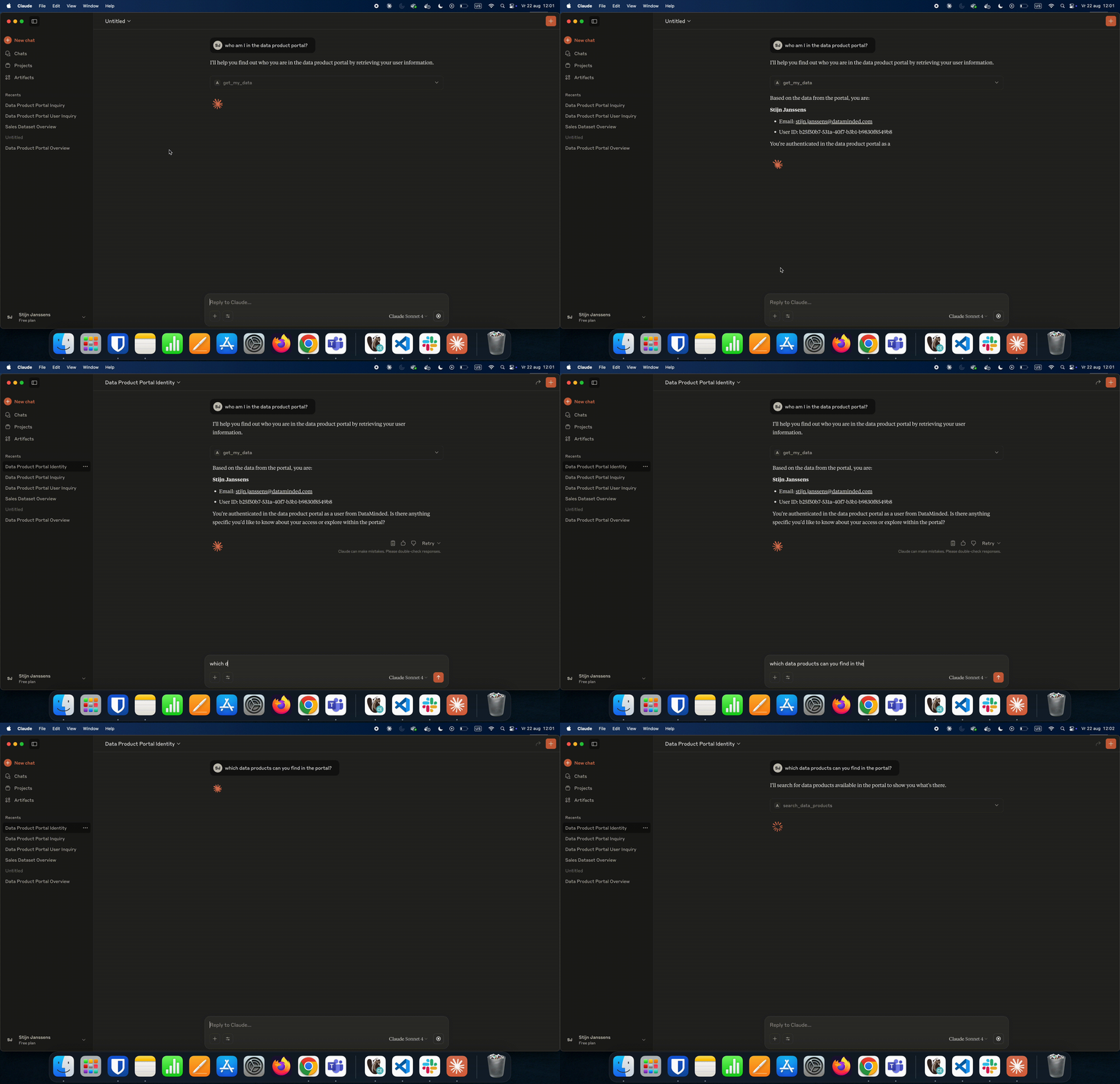
MCP server in action: Natural language questions are asked to query the live data of the Data Product Portal
Our path to building an MCP server
First we looked at Generic LLMs, trying to manually build an agentic system with Pydantic AI. These are quick to use, but shallow. They don’t know your data, your lineage, or your terminology. The hackathon was short and unfruitful. We found out that the initial prompt has an enormous impact on the resulting performance. Even with an elaborate system prompt we did not manage to have a higher than 30% success rate on queries. Most of the time the answers were hallucinated because the system did not have enough tools to learn the necessary context.
That’s why I implemented the server using FastMCP.
When you build an MCP server, you have a few options:
Auto-generate tools from OpenAPI specs
Hand-code the server logic directly
Vibe code your way to success
I tried all of the above options, neither of them was the correct solution in my case. Below is what worked (and didn’t).
Why I Didn’t Use OpenAPI
My first instinct was to reuse our FastAPI OpenAPI spec. Every endpoint instantly became a tool. Sounds great, right?
In practice: not so much. Our backend was not designed with agentic systems in mind, which means that most of the endpoints are not relevant or not meant to be used by AI.
The result was bloated, noisy, and confusing for the LLM. It couldn’t pick the right tool, and we as developers lost control.
On top of that, most AI clients struggled with overly large tool descriptions. Sometimes the free models couldn’t even call the tool without reaching their limit of tokens.
So I went another way: I vibecoded the MCP tools by hand. I only exposed what actually mattered. And surprisingly, it worked much better.
Later on, I refactored the code to reuse the already existing service layer. This way we minimize the boilerplate code and make sure the MCP server and regular API endpoints use the same logic.
💡 Tip if you try this: start small. Don’t expose your whole API. Pick the 3–5 most valuable tools and get those working first.
Wrestling With OAuth
If you want your MCP server to be used in production, OAuth is non-negotiable. Without it, the MCP server is just an open endpoint and anyone could query it! The server wouldn’t know who you are. With OAuth in place, the MCP server can do the same thing the Data Product Portal already does:
Ask the user to log in,
Know who they are,
And tailor results based on their identity and permissions.
That’s worth the effort: once you log in, the MCP server only shows you the datasets, products, and roles you’re allowed to see. This feels integrated, similar to what we expect from any API.
Unfortunately, the implementation process was not smooth-sailing. I came across a lot of challenges and the documentation (I used version 2.10.6 of fastmcp) was lacking at the time.
This is a snippet of some of the extra routes you have to implement. You only find this in obscure git issues. If you want to look at the full code, please have a look here. It feels cumbersome to implement these methods ourselves because this is information that our OAuth provider (in our case AWS Cognito) already serves. However you can not link to this information in your BearerAuthProvider , or I did not figure out how to.
Next to the undocumented endpoints that were required, other issues popped up as well:
Local vs. Production differences
ModelInspector and FastMCP behaved differently in debug versus real runs, especially around expected routes. What worked locally suddenly broke in production and vice versa.
Library instability
Both fastmcp and authlib have quirks. Version differences often meant inconsistent or buggy behavior. Some things that worked in one release stopped working in the next. Here the local versus production runs also showed different results, making debugging a real struggle.
Listening to random ports vs. AWS Cognito
FastMCP’s OAuth flow assumes a random available port for callbacks. This doesn’t play nicely with AWS Cognito, which requires redirect URLs to be registered upfront. We had to use static ports for callbacks, which is far from ideal and complicates deployments.
In the proxy client, I rewrote the OAuth logic to open a fixed port, instead of a random available one. That way I could fix the redirect url, which Cognito requires.
It does not help that AWS Cognito has zero information in the error messages.
Together, these issues meant that OAuth integration took far longer than expected and it’s still an area that could benefit from more robust library support.
💡 Tips to get started:
Don’t set up your OAuth immediately for MCP. Make sure you have a working OAuth setup for easier technologies, such as FastAPI. I knew upfront that my OAuth provider and backend configuration was correct and not the issue, because it was already working for FastAPI.
Lock your dependency versions. These libraries are still in very active development and OAuth is hard to test, but easy to break. Don’t just trust “latest”.
If you’re on AWS Cognito, make sure to use a dedicated static redirect URL.
Use your existing service layer: once authentication works, the rest of the server can reuse the same permission checks as your API. Because we use the same OAuth configuration, both my backend and the MCP server parse the JWT tokens in the same way. No logic is duplicated and the MCP server uses the exact same internal users.
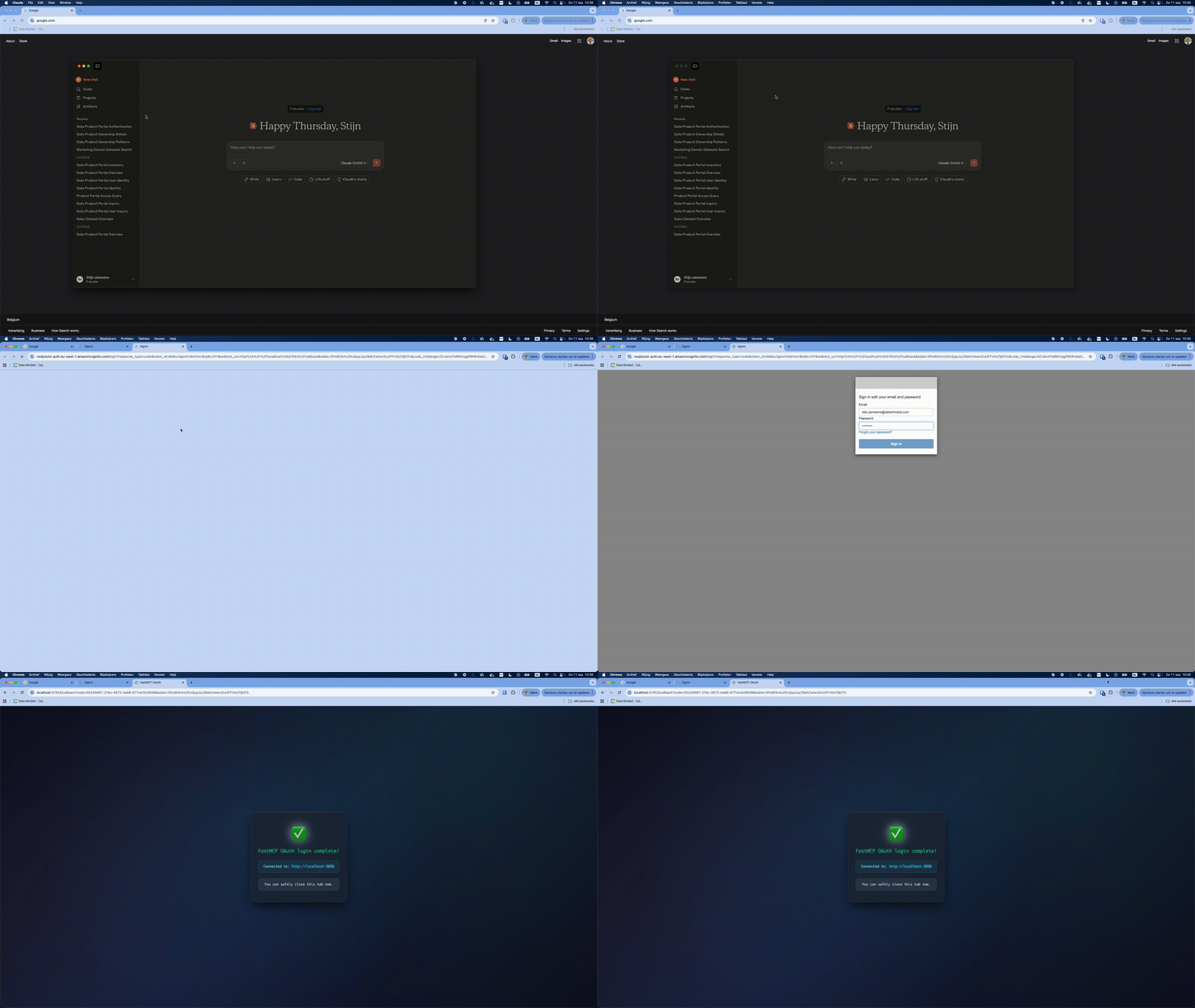
OAuth in action, do note the fixed redirect port.
It looks like there is some promising new ways to setup your MCP servers with OAuth in the latest releases of FastMCP, so I hope you can skip a large part of my struggles. However, there is no built in support for AWS Cognito yet, so maybe my tips are still relevant. Let me know how the implementation worked out for you!
Conclusion
Despite the hurdles, the experiment worked: we now have a working MCP server for the Data Product Portal. It allows natural language exploration of data products, datasets, lineage, and user roles. It really feels like a real step forward toward AI-native data platforms.
This is still early and experimental, but I’d love to hear your feedback.
👉 Set up the Data Product Portal and connect your favourite MCP client with our server. Experience first-hand how it feels to talk to your data.
You’ll find everything you need on our GitHub repository and official Documentation page. Feedback, contributions, and war stories are more than welcome.
Latest

Data Platforms for humans
Data platforms fail when people are ignored. Why kindness and communication matter as much as architecture.
The Boring Stuff That Keeps You in the 5%
GenAI fails not because of models, but missing engineering, data, and product thinking. The “boring work” is what makes it real.
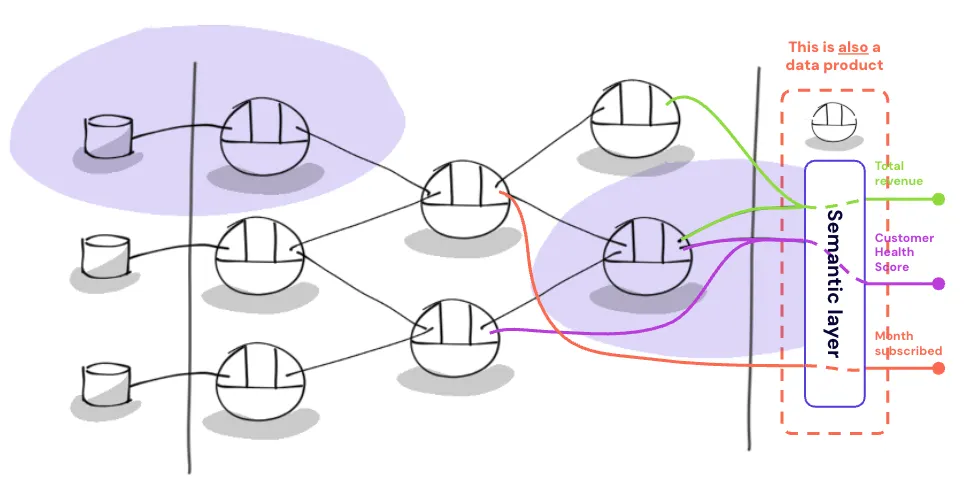
You Built a Data Mesh, But Your Metrics Are Still a Mess. Here’s Why.
Even with data mesh, metrics break: decentralized logic, no ownership, and cross-domain gaps. A semantic layer unifies KPIs.